
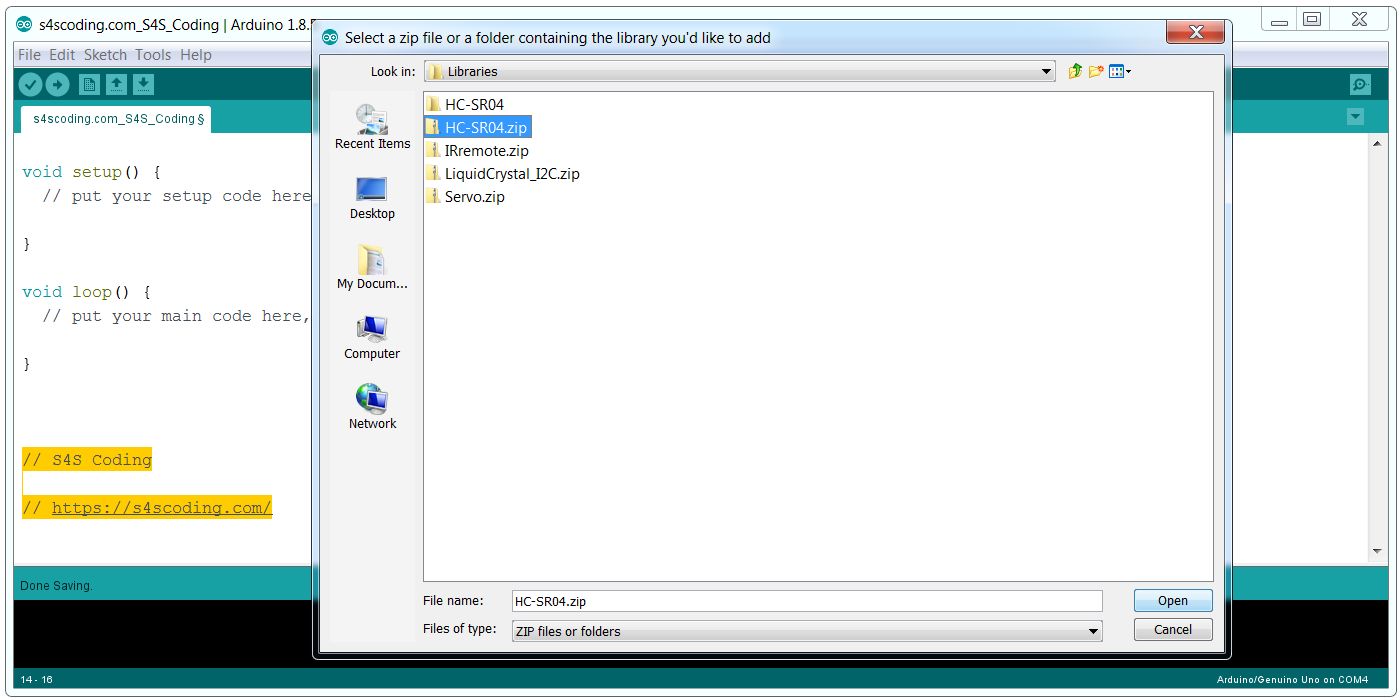
Importing the Arduino HC-SR04 Ultrasonic Sensor Library Zip File
To import a .zip file go to “Sketch” > “Include Library” > “Add .ZIP Library…”
And go to the folder on your device containing 3rd party Arduino libraries: you will have to find and download them from the Internet or CD/DVD.
For example I’ll be working on a project soon which uses the HC-SR04 Ultrasonic Sensor which requires a 3rd party library: within a zip file HC-SR04.zip.
I’ll be importing the Arduino HC-SR04 Ultrasonic Sensor Library from the HC-SR04.zip file.
Continue Reading How to Install Additional Arduino Libraries


Arduino Uno Thermometer Project with LM35 Sensor and LCD Display #Arduino #Hackerspace #Project...
Caesar Cipher Left Shift of 3 #Caesar # Cipher #Teachers...
If Then Else Statements #programming #coding...
Arduino Leonardo Microcontroller Board #Arduino...
Primary School Coding Curriculum Key Stage 1: understand what algorithms are, how they are implemented...
Google Blockly Games Maze 5 Solution #Blockly #Javascript #Coding...