
MIT App Inventor 2 I Have A Dream Android App
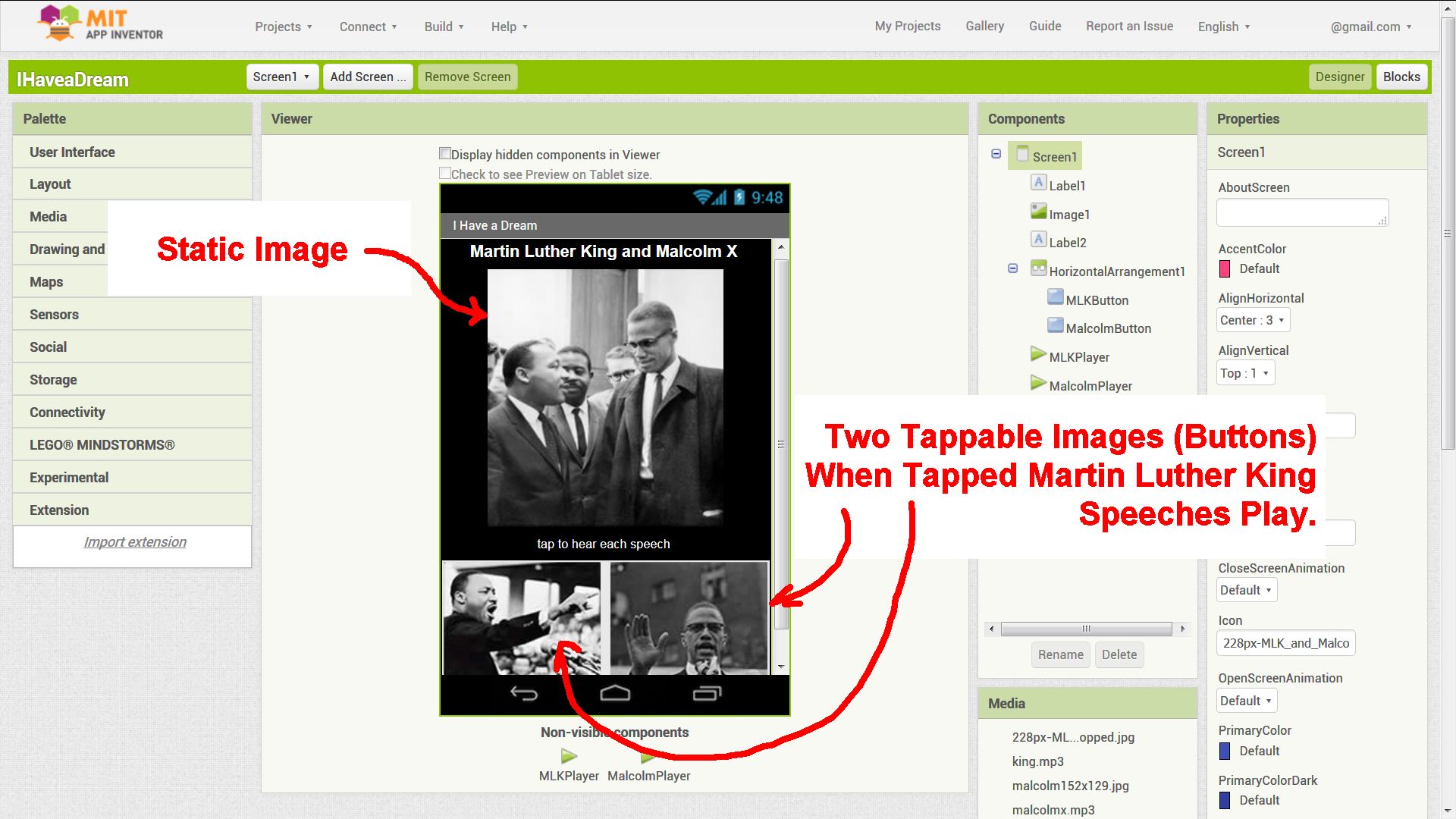
As part of the App Inventor 2 Course in a Box Tutorial (App Inventor’s starter tutorial) there’s a sample App Inventor project called “I Have a Dream” soundboard app (app blurb below).
Build the “I Have A Dream” App.
“I Have a Dream!” is an educational “soundboard” app that plays the famous speech of Martin Luther King. Its a great way to get started with App Inventor and programming.
It’s a simple Android app consisting of three images, two of which are buttons which when clicked play a Martin Luther King speech.
From a learning Android app development perspective it’s the visual language block based code that’s similar to Scratch or Blockly which makes the tool accessible to the school environment: the teacher doesn’t have to be a software engineer to use App Inventor 2 as a teaching aid in the classroom.
Continue Reading MIT App Inventor 2 Introduction to Android App Development


Boston Dynamics SpotMini is a small 4 legged robot dog that comfortably fits in an...
CoderDojo Coding Club Flyer #CoderDojo #Coding #Teachers...
Makerspace Community Arduino Projects #Hackerspace #Hackspace #Makerspace...
Google AIY Vision Kit: The #AIY Vision Kit from #Google lets you build your own...
Computing Education in Schools #Computing #Education #School...
Download the Arduino IDE Software #Arduino #Coding...